
7 Powerful iPhone Ecosystem Advantages in 2026
Owning an iPhone in 2026 is less about the phone itself and more about the ecosystem wrapped around it. When the iPhone is paired with a Mac, iPad, Apple Watch, AirPods, Apple TV, or even Vision Pro, the experience turns into a continuous environment where work, calls, notifications, and media flow across screens with minimal friction. Apple calls this set of capabilities “Continuity,” and its documentation explains that it lets you move between Mac, iPhone, iPad, Apple Watch, Apple TV, and Vision Pro while keeping tasks in sync.
This level of integration is one of the main reasons many users and reviewers still lean toward the iPhone when productivity, long‑term value, and ease of use matter more than raw hardware variety. PCMag’s 2026 Android vs iOS comparison argues that iOS has stronger ecosystem integration due to Apple’s tight control over hardware and software, citing features like Handoff, universal clipboard, and continuity calling as advantages Android still struggles to match consistently. A 2026 productivity comparison from Wispr Flow similarly says iPhone “leads in ecosystem integration, consistent performance, security, and seamless handoff between Apple devices,” while acknowledging that Android has improved in flexibility.
Below are the iPhone ecosystem advantages that have a real impact in 2026, along with when they matter and how they compare to alternatives.
1. Seamless cross‑device continuity (Handoff, Continuity, iPhone Mirroring)
Apple’s Continuity features are the backbone of the ecosystem story. Apple’s support article on Continuity lists Handoff, Continuity Camera, Instant Hotspot, Universal Clipboard, and other features as ways to move tasks between iPhone, Mac, iPad, Apple Watch, Apple TV, and Vision Pro. The macOS Continuity page explains that when your devices are near each other, you can “automatically pass what you’re doing” between them, such as starting an email on iPhone and continuing on Mac.
Practical examples:
-
Start writing a mail or note on iPhone, finish it on Mac with a click using Handoff.
-
Copy text or images on iPhone and paste instantly on Mac via Universal Clipboard.
-
Use iPhone Mirroring (on Macs with macOS 15+ and supported iPhones) to see and control your iPhone from your Mac screen, reducing distractions. A 2026 ecosystem video calls iPhone Mirroring is one of the “three essential continuity features” that “changed my life.”
For productivity, this is a different class of integration than simply having the same accounts logged in on different platforms; it feels like one system, not multiple devices.
2. iCloud sync and shared services: everything stays in step
iCloud underpins the ecosystem by keeping data consistent. A detailed ecosystem explainer notes that photos, notes, calendars, and files automatically sync across iPhone, Mac, and iPad so that “the data stays consistent” everywhere. This means:
-
Photos taken on iPhone appear almost instantly on Mac and iPad.
-
Notes, Reminders, and Safari tabs are shared, so you can switch devices without manual steps.
-
iCloud Drive and CloudKit allow apps to maintain state across devices, which a 2026 developer‑focused article says is now a core expectation for serious iOS apps.
A LinkedIn analysis of the ecosystem in 2025 describes this as a “strategic investment” where iCloud and cross‑device experiences dramatically reduce friction, especially when combined with AI‑driven continuity features. For users, the advantage is less about storage capacity and more about confidence that switching devices will not break workflows or lose data.
3. Apple Watch and AirPods: extending iPhone instead of just pairing with it
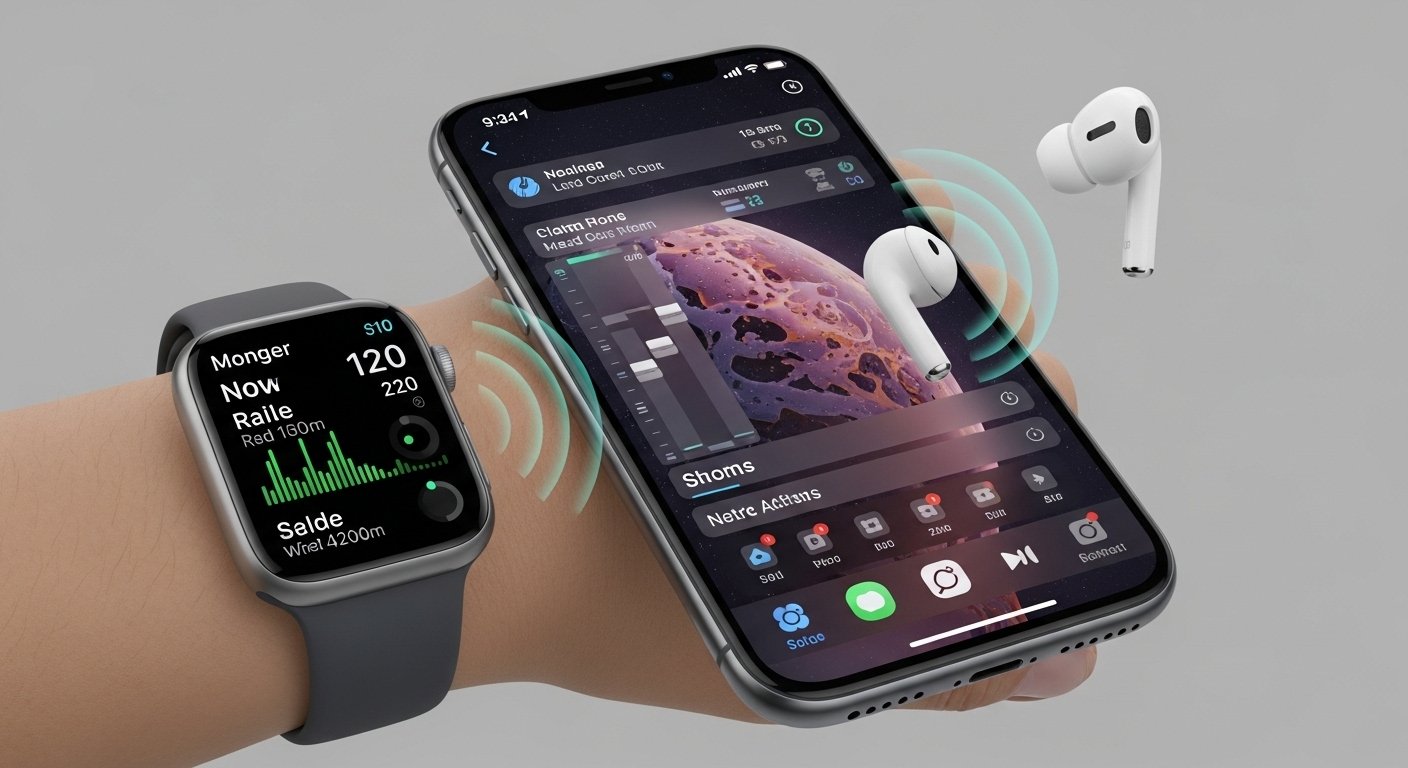
In Apple’s ecosystem, Apple Watch and AirPods behave like extensions of the iPhone rather than separate accessories. A broad ecosystem guide describes Apple Watch as “more than just a watch,” calling it an extension of the iPhone that handles health tracking, notifications, and even Mac unlocking, while AirPods and other audio devices benefit from automatic switching across iPhone, Mac, and iPad.
Concrete advantages:
-
Unlock your Mac with Apple Watch when you sit down, without typing a password.
-
Take calls that come in on iPhone directly on Apple Watch or Mac, with continuity calling handling the routing.
-
AirPods auto‑switch between iPhone and Mac depending on where audio is playing, reducing manual device juggling.
For daily life, this is why many users say “once you have multiple Apple devices, everything else makes less sense”—the devices coordinate, rather than just coexist.
4. Security, privacy, and long‑term updates across the ecosystem
Security and update policy are ecosystem advantages as much as OS advantages. Wispr Flow’s 2026 Android vs iPhone comparison points out that “iPhone’s guaranteed five‑plus years of iOS updates is a significant advantage,” noting that a phone bought today should receive security patches and feature updates into the 2030s, improving long‑term value and resale. A VERTU explainer on why iPhone remains preferred in 2025 adds that iPhone’s hardware‑software integration and App Store controls yield a strong privacy and security posture versus many Android devices.
Ecosystem‑level benefits:
-
Security fixes roll out simultaneously across iPhone and other Apple devices, minimizing fragmentation.
-
Features like Find My, hardware encryption, and secure enclave work consistently across devices.
-
Centralized management (e.g., Apple Business Manager) allows organizations to enforce policies across fleets of iPhones, Macs, and iPads, as an enterprise‑focused ecosystem article notes.
This matters especially for users who plan to keep devices for many years or integrate them into work and business.
5. A consistent UI/UX and app model across iPhone, iPad, and Mac
The Apple ecosystem advantage is not just technical; it is experiential. A LinkedIn piece on why the ecosystem matters argues that Apple’s operating systems are designed to “work cohesively,” highlighting that tasks can be moved from iPhone to Mac seamlessly and that UI consistency reduces learning curve and friction. A Refurb.me ecosystem guide similarly stresses that iOS, macOS, watchOS, and tvOS are structured to feel familiar across devices, which helps both individuals and teams.
Key benefits:
-
Users can switch between devices with minimal context switching or re‑learning.
-
App developers can target multiple Apple platforms with shared code and design language (and features like Universal Purchase), leading to higher‑quality cross‑device experiences.
-
For productivity, cross‑device continuity in apps (e.g., document editors, note‑taking, design tools) is increasingly standard, not a niche feature.
Competing platforms have improved, but fragmentation between vendors and OS customizations still makes this level of uniformity harder to achieve.
6. Ecosystem productivity: why iPhone + Mac + iPad is greater than the sum of parts
A 2026 “Apple ecosystem mastery” video walks through how Handoff, Sidecar, and iPhone Mirroring can “change the way you work,” calling the trio “unbeatable for productivity.” It demonstrates:
-
Handoff for moving emails, tabs, and documents instantly between iPhone and Mac.
-
Sidecar for turning an iPad into a second display for Mac, with Apple Pencil support.
-
iPhone Mirroring for controlling the phone from a Mac, reducing time spent picking up the device and breaking focus.
A separate Hotbot analysis of iOS apps in 2026 notes that cross‑device continuity and shared sessions across iPhone, iPad, and Mac are now redefining expectations, with examples like editing a document on iPhone and finishing on Mac without any manual sync management.
These capabilities make the ecosystem especially attractive for:
-
Students switching between lecture notes on iPad and essays on Mac.
-
Professionals juggling email, documents, and calls across devices.
-
Creators using an iPad as a sketch surface while the Mac handles final composites.
7. iPhone ecosystem vs Android ecosystems in 2026: where it truly leads
Android has become far better at integration than it was a few years ago, with improved multi‑device experiences from Google and OEMs. Wispr Flow’s 2026 comparison acknowledges convergence: Android has improved security and cross‑device integration, while iPhone has added customization options like widgets and App Library. However, multiple analyses still conclude that Apple’s ecosystem offers a more cohesive and reliable multi‑device experience.
PCMag’s 2026 OS comparison states that iOS “dominates” in ecosystem integration because Apple controls both hardware and software, enabling seamless features like Handoff, AirDrop, and continuity calling that are harder to standardize across diverse Android vendors. A Reddit thread on the benefits of switching to iPhone with a Mac summarizes typical user sentiment: Handoff, AirDrop, and Find My are cited as “top three Apple ecosystem features,” with one user saying they would “pay double to stay in the iOS ecosystem” alongside a Mac.
Where the iPhone ecosystem is clearly ahead:
-
Reliability and uniformity of cross‑device features (Handoff, Universal Clipboard, AirDrop).
-
Long‑term update guarantees and security posture across phones and computers.
-
Tight integration of phone, computer, tablet, watch, and TV into one coherent environment.
Where it is less flexible:
-
Hardware variety, form factors, and price bands compared with Android.
-
Deep customization and experimentation on the OS level.
For many productivity‑focused users in 2026, the trade‑off is clear: fewer device options, but a smoother, more predictable ecosystem.
Read Related Article
FAQ
What is the biggest iPhone ecosystem advantage in 2026?
The biggest advantage is seamless Continuity: features like Handoff, Universal Clipboard, iPhone Mirroring, and Sidecar let you move tasks between iPhone, Mac, and iPad with almost no friction.
Do I need a Mac to benefit from the iPhone ecosystem?
No, but the benefits scale with each additional device. An iPhone alone benefits from iCloud and Apple services; adding Mac, iPad, Apple Watch, and AirPods unlocks Handoff, Sidecar, automatic unlock, unified notifications, and more.
Is the Apple ecosystem really better than Android’s in 2026?
PCMag and Wispr Flow both conclude that iOS leads in ecosystem integration, citing smoother cross‑device workflows and more consistent updates, while Android leads in flexibility and device variety.
How important is iCloud to the ecosystem?
Very important. iCloud keeps photos, files, notes, calendars, and app data in sync so tasks can move between devices without manual file transfers, which multiple ecosystem explainers highlight as a core benefit.
Does the ecosystem still matter if I only use an iPhone and a Windows PC?
You still gain iPhone‑centric advantages (security, long updates, services), but the strongest ecosystem benefits—Handoff, Sidecar, iPhone Mirroring, native iMessage on desktop—require a Mac and other Apple devices.
